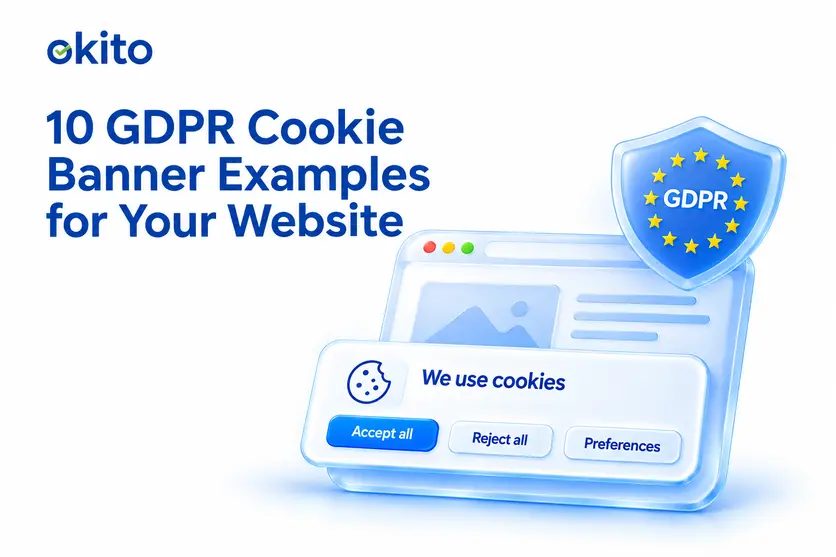
A GDPR cookie banner helps websites inform visitors about cookies and give them control over tracking technologies. When implemented correctly, it supports informed consent, improves transparency, and helps businesses meet applicable privacy requirements.
Under EU rules, websites generally need consent before using non-essential cookies or similar tracking technologies. However, displaying a banner alone does not establish compliance. The information presented, available choices, and technical implementation must work together.
This guide explains cookie consent requirements, essential banner features, and real GDPR cookie consent examples that illustrate how different websites present privacy choices.
What Is Cookie Consent?
Cookie consent is a visitor's informed agreement to the use of cookies or similar tracking technologies. It allows users to control whether websites can store or access information on their devices for purposes requiring permission.
Cookies serve different functions, including maintaining shopping carts, remembering preferences, analyzing traffic, and delivering personalized advertisements. While strictly necessary cookies are generally exempt from consent requirements, analytics, advertising, and other optional cookies may require prior consent depending on their purpose.
For example, a shopping cart cookie may be essential for completing a purchase, whereas a cookie tracking users across websites for advertising generally requires consent.
A cookie consent banner communicates these choices, while a consent management platform (CMP) helps websites manage user preferences and consent-dependent technologies.
When Is Cookie Consent Required?
Cookie consent is generally required when a website stores or accesses information on a visitor's device for purposes that do not qualify for an applicable exemption.
In the EU, Article 5(3) of the ePrivacy Directive governs these activities. Where consent is required, the GDPR establishes the standards for obtaining valid permission.
Common examples include:
Advertising cookies: Tracking visitors for targeted advertising and retargeting.
Analytics cookies: Measuring visitor behavior when no applicable exemption exists.
Personalization cookies: Supporting optional personalized experiences.
Third-party trackers: Technologies used for advertising, profiling, or other consent-dependent purposes.
Certain technologies are exempt when strictly necessary to transmit communications or provide a service explicitly requested by the user.
For example, a session cookie maintaining a customer's login may qualify for an exemption. However, advertising or general business analytics does not become strictly necessary merely because it benefits the website owner.
Not every website is legally required to display a cookie consent banner. A website using only exempt technologies may not need to request cookie consent, although other transparency obligations may still apply.
The specific requirements depend on the technologies, purposes, and jurisdictions involved.
What Is GDPR Cookie Consent?
GDPR cookie consent means obtaining permission according to the GDPR's consent standards when consent is required for cookies or similar technologies.
Under Article 4(11), valid consent must be:
Freely given: Visitors have a genuine choice without inappropriate pressure.
Specific: Permission relates to clearly identified purposes.
Informed: Visitors understand what they are agreeing to.
Unambiguous: Consent results from a clear affirmative action.
Article 7 also requires organizations to demonstrate consent and allow individuals to withdraw it as easily as they gave it.
Consequently, scrolling, inactivity, or pre-ticked checkboxes cannot establish valid consent. The Court of Justice of the European Union confirmed the invalidity of pre-ticked cookie consent in its Planet49 judgment.
Websites must also distinguish between permission to access a user's device under ePrivacy rules and the lawful basis for subsequent personal data processing under the GDPR.
Cookie consent does not automatically satisfy every GDPR obligation.
For businesses reviewing their wider privacy responsibilities, Okito's GDPR compliance checklist provides additional guidance.
What Should a Cookie Consent Banner Include?
A cookie consent banner should provide enough information for visitors to understand tracking purposes and make informed decisions.
Its essential elements generally include:
Clear cookie information
Explain why cookies are used, including relevant analytics, advertising, and personalization purposes. Avoid vague descriptions that conceal tracking activities.
Accept and reject options
Provide meaningful ways to accept or refuse consent-based cookies. Avoid interfaces that unnecessarily complicate rejection or pressure visitors into accepting.
Preference settings
Where appropriate, allow users to manage optional cookie categories individually rather than requiring blanket consent.
Cookie policy access
Link to information about cookie purposes, providers, and other relevant details necessary for transparency.
Consent withdrawal
Provide an accessible mechanism for changing preferences after the initial decision.
Accessible design
Use understandable wording, readable buttons, and an interface that works across desktop and mobile devices.
A layered banner can present essential information initially and provide more detailed explanations through a preference center.
However, a well-designed interface is insufficient if tracking scripts ignore the visitor's choices. Consent-dependent technologies must respond correctly to acceptance, rejection, and withdrawal.
Cookie Consent Banner Checklist
Before publishing a cookie banner, website owners should verify both its content and technical behavior.
Use the following checklist:
Identify tracking technologies. Review cookies, pixels, local storage, and third-party scripts.
Determine consent requirements. Assess each technology's purpose and applicable exemptions.
Explain purposes clearly. Give visitors understandable information before requesting permission.
Provide genuine choices. Avoid misleading buttons or unnecessarily difficult rejection processes.
Disable optional consent controls by default. Do not use preselected consent options.
Block consent-dependent trackers. Prevent their activation until the required permission is obtained.
Enable relevant category preferences. Allow appropriate control over different optional purposes.
Support consent withdrawal. Make changing preferences readily accessible.
Maintain appropriate consent evidence. Record information needed to demonstrate consent while respecting data minimization.
Test implementation. Verify behavior across devices, browsers, and relevant regional configurations.
For example, selecting "Reject All" should prevent technologies requiring the rejected consent from activating. A banner may appear correct while an advertising script continues loading through a tag manager. Technical testing is therefore essential. Website owners can begin by identifying their tracking technologies with Okito's cookie checker.
What Makes a Cookie Banner GDPR-Compliant?
A GDPR-compliant cookie banner must support valid consent where required and accurately reflect the website's tracking practices. Compliance depends on meaningful visitor choices, transparency, and technical enforcement rather than visual design alone. The European Data Protection Board's Cookie Banner Taskforce has highlighted potentially problematic practices, including missing rejection options, pre-ticked boxes, and misleading interfaces.
The following table compares appropriate approaches with common compliance risks.
Element | Appropriate Approach | Potential Compliance Problem |
|---|
Consent choice | Clear affirmative action | Assuming consent through inactivity |
Accept and reject | Meaningful, accessible choices | Hidden or unnecessarily difficult rejection |
Default settings | Optional consent controls disabled | Preselected consent |
Information | Clearly explained purposes | Vague or misleading descriptions |
Preferences | Appropriate granular controls | Inappropriately bundled purposes |
Withdrawal | Accessible preference management | Obstacles to withdrawing consent |
Technical behavior | Trackers respect user choices | Tracking continues after rejection |
A particular button color or layout does not automatically determine legal compliance. Authorities consider the complete interface and surrounding circumstances. Nevertheless, cookie banners should not manipulate users into accepting tracking they would otherwise reject. A valid consent decision requires informed choice and consistent technical behavior.
Websites should also review their configurations whenever analytics tools, advertising platforms, or third-party services change. Understanding the broader GDPR compliance requirements can help businesses maintain consistent privacy practices beyond their cookie banners.
10 GDPR Cookie Banner Examples from Websites
These GDPR cookie consent examples illustrate how real organizations explain tracking purposes, offer choices, and help visitors manage their preferences. They cover retail, technology, public services, and European institutions, with each example highlighting a different aspect of cookie consent.
These examples are not certifications of full GDPR compliance. Banner interfaces may vary by region, browser, and time, while publicly available documentation cannot independently verify every tracking script.
1. IKEA – Clear Accept and Reject Choices
IKEA Spain demonstrates how an e-commerce website can distinguish essential functions from optional tracking. Its published cookie banner wording includes options to accept or reject all relevant optional cookies, while explaining that strictly necessary cookies remain active after rejection.
This distinction is particularly important for online retailers that depend on essential shopping functionality while also using optional analytics and marketing technologies.
2. LEGO – Customizable Consent Preferences
LEGO documents a cookie consent interface with "Accept All," "Reject All," and "Cookie Settings" options. Its cookie information explains essential website functions and provides ways for visitors to review and manage their preferences.
This approach demonstrates how a banner can provide straightforward initial choices while offering additional settings for more detailed control. Regional versions may differ, so the relevant EU implementation should be evaluated separately.
3. GOV.UK – Simple and Accessible Cookie Banner
The GOV.UK Design System provides an officially documented cookie banner component that uses concise wording and straightforward controls for accepting or rejecting additional cookies. Its accompanying design guidance emphasizes accessibility and ensures that visitor choices are connected to actual website behavior.
The example illustrates how clear language and accessible controls can simplify consent management without sacrificing essential information. GOV.UK operates under the United Kingdom's legal framework, so its design does not automatically establish compliance with EU requirements.
4. European Commission – Transparent Cookie Consent
The European Commission provides an institutional example of transparent cookie communication. Its official cookie policy describes how cookies are used across Commission websites and explains the opportunity for visitors to accept or refuse them.
By connecting consent decisions with information about tracking purposes, the Commission demonstrates the importance of providing accessible explanations alongside cookie choices. Its published policy reflects its stated approach rather than independently verifying every technical implementation.
5. GitHub – Manage Cookie Preferences
GitHub documents cookie preference controls that allow users to manage non-essential tracking technologies. Its privacy information describes acceptance, rejection, and preference management options in relevant interfaces, along with methods for updating previously selected preferences.
This approach is particularly useful for platforms where users frequently return or interact with multiple services. Available controls may vary depending on the visitor's location and the GitHub service being used.
6. Decathlon – Optional Cookie Controls
Decathlon UK explains the distinction between essential and optional cookies in its published cookie policy, including options for accepting or rejecting optional tracking technologies. This separation is especially relevant to e-commerce websites that require certain cookies for shopping functionality while also using analytics or marketing services.
The example illustrates why necessary website operations should be distinguished from optional tracking activities. Decathlon UK's implementation falls under the applicable United Kingdom legal framework.
7. European Data Protection Board – Accept or Refuse Cookies
The European Data Protection Board explains its cookie categories and visitor choices in its official cookie policy. Its documentation describes the handling of optional analytics cookies and indicates that an unanswered consent request is not treated as permission.
This approach reinforces a fundamental GDPR consent principle: visitors must actively indicate agreement when consent is required. Silence, inactivity, or simply continuing to browse should not be interpreted as affirmative consent.
8. NHS England – Consent for Additional Cookies
An NHS England digital service provides clearly labeled "Accept additional cookies" and "Reject additional cookies" options. Its accompanying explanation distinguishes essential website functions from additional technologies used to understand how visitors interact with the service.
This approach helps visitors understand their options without requiring extensive technical knowledge. As a UK-based example, it illustrates clear consent communication rather than independently certified EU GDPR compliance.
9. Office for National Statistics – Clear Consent Messaging
The Office for National Statistics Design System documents cookie consent interactions, including acceptance, rejection, and confirmation messages. Its guidance also addresses access to cookie settings, helping users understand and manage their preferences.
Confirming that a visitor's choice has been saved can reduce uncertainty and improve the overall experience. The example demonstrates that effective consent management involves more than the initial banner interaction.
10. Hellenic Data Protection Authority – Remembering Consent Choices
The Hellenic Data Protection Authority documents the cookies used to store visitor preferences, including how acceptance or rejection decisions are remembered and the relevant retention periods.
Remembering previous choices can prevent unnecessary repeated consent requests while helping websites respect visitors' preferences. The implementation also highlights the importance of documenting how consent-related technologies operate.
 Türkçe
 English